Step by Step Guide to Hosting a Team Battle in Blooket
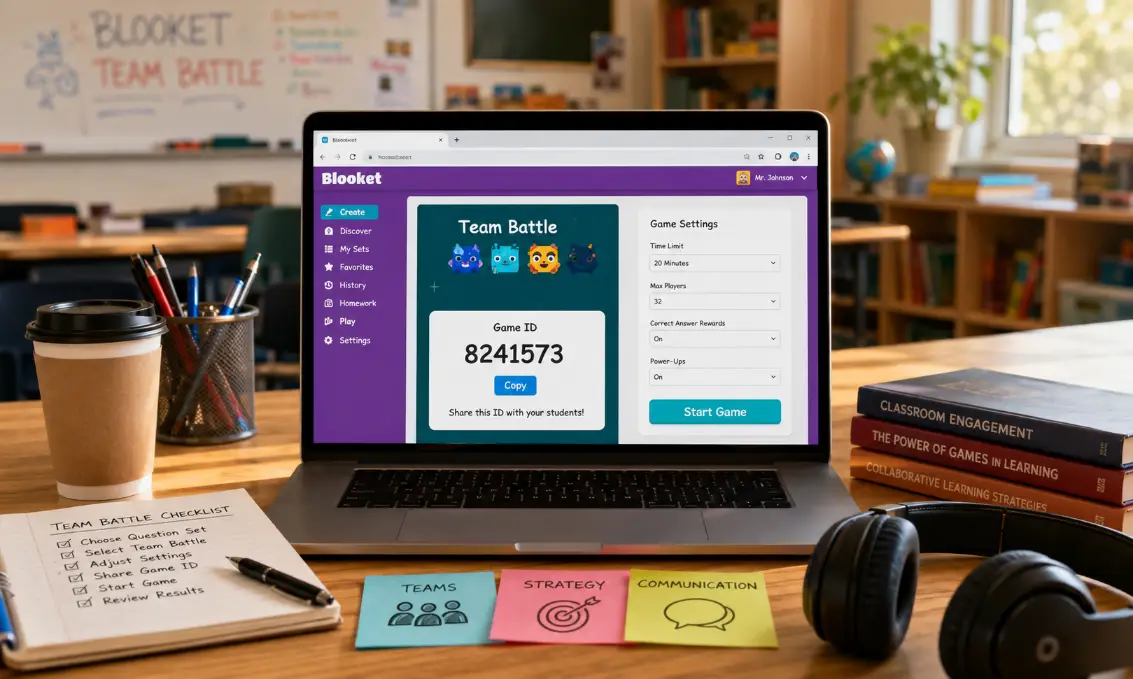
Blooket makes classroom quizzes and review games more exciting through friendly competition and interactive learning. One of its most popular features is the Team Battle mode, where students work together instead of playing alone. Hosting a team battle is simple when you understand the setup process, game settings, and tips for keeping players engaged throughout the session.
Step by Step Guide to Hosting a Team Battle in Blooket
Hosting a team battle in Blooket is easy once you follow the correct steps. Here is a complete process from creating a game to ending the battle successfully.
Create or Choose a Question Set
Start by logging into your Blooket account. After signing in, click on “Discover” to search for public question sets or create your own quiz by selecting “Create.”
Choose a set that matches your lesson topic or training purpose. You can edit existing question sets or add new questions to make the game more suitable for your team activity.
Select a Team-Based Game Mode
After selecting the question set, click “Host.” Blooket will display several game modes. Choose a mode that supports team play, such as Battle Royale or other collaborative modes available at the time.
Some modes automatically divide players into teams, while others allow manual team selection.
Adjust Game Settings
Before starting the match, customize the game settings according to your group size and classroom environment.
You can change settings like:
- Time limits
- Randomized questions
- Team balancing
- Homework or live mode
- Number of players per team
These controls help make the competition fair and enjoyable for everyone.
Share the Game Code
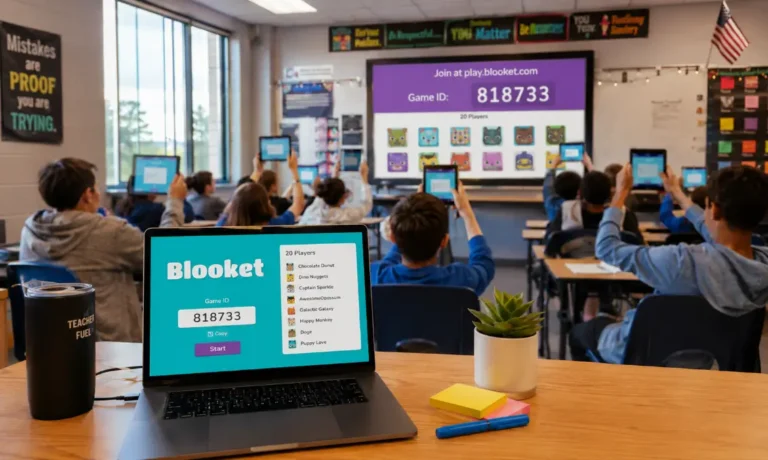
Once the game lobby appears, Blooket generates a unique game code. Share this code with students or participants so they can join from their devices.
Players can enter the code on the Blooket join page and choose their names before entering the battle.
Organize the Teams
Depending on the selected mode, teams may be assigned automatically or manually. Try to create balanced groups with mixed skill levels to keep the game competitive.
Encourage team members to communicate and work together while answering questions.
Start the Team Battle
After everyone joins, click the “Start” button. The battle begins immediately, and players answer questions to earn points or advantages for their teams.
Monitor the gameplay from the host dashboard to ensure the game runs smoothly.
End the Session and Review Results
At the end of the game, Blooket displays the final rankings and scores. Use the results screen to discuss performance, review difficult questions, and celebrate winning teams.
This review process helps reinforce learning while keeping the atmosphere positive and motivating.
Benefits of Hosting Team Battles in Blooket
Team battles offer more than entertainment. They improve collaboration and learning in several ways.
Encourages Teamwork
Students learn to communicate, support teammates, and solve problems together during gameplay.
Increases Classroom Engagement
Interactive games hold attention better than traditional review methods, especially for younger learners.
Builds Healthy Competition
Friendly competition motivates participants to stay focused and answer questions carefully.
Makes Learning Less Stressful
Game-based learning reduces pressure and creates a more relaxed classroom environment.
Tips for Running a Successful Team Battle
Even simple games work better with good planning and organization.
Choose the Right Question Difficulty
Avoid making the quiz too easy or extremely difficult. Balanced questions keep players interested and motivated.
Keep Teams Balanced
Try not to place all strong players on one team. Balanced teams make the competition fairer and more exciting.
Set Clear Rules
Explain the rules before starting the game, including behavior expectations and time limits.
Use Short Game Sessions
Long matches can reduce attention levels. Shorter sessions usually maintain excitement and participation.
Reward Participation
Small rewards, praise, or bonus points can increase enthusiasm and encourage positive teamwork.
Best Situations to Use Team Battle Mode
Blooket team battles work well in different learning and group environments.
Classroom Revision Sessions
Teachers can review lessons before exams through interactive competitions.
Online Learning Activities
Remote students can participate together using shared game codes and video calls.
Training Workshops
Corporate trainers can use team battles to make workshops more engaging and interactive.
Family or Friend Gatherings
Blooket is not limited to schools. Friends and families can enjoy quiz competitions during gatherings or virtual events.
Common Mistakes to Avoid When Hosting
Understanding common problems can help you create smoother game sessions.
Ignoring Internet Stability
Poor internet connections can interrupt gameplay and frustrate participants.
Starting Too Quickly
Give everyone enough time to join before beginning the match.
Using Overly Complicated Questions
Confusing questions slow down the game and reduce enjoyment.
Forgetting to Review Results
The post-game review is important because it helps players learn from mistakes and improve understanding.
How Teachers Can Improve Team Participation
Some students naturally participate less during group games. Teachers can encourage better involvement with a few simple strategies.
Rotate Team Leaders
Changing team leaders gives every student a chance to guide the group and contribute actively.
Encourage Positive Communication
Remind students to support teammates respectfully instead of criticizing wrong answers.
Include Bonus Challenges
Mini challenges or bonus rounds can increase excitement and encourage full team participation.
Celebrate Improvement
Recognizing effort and improvement is often more motivating than focusing only on winners.
Frequently Asked Questions
Can students join a Blooket team battle without accounts?
Yes, players can usually join live games using only the game code provided by the host.
Is Blooket team battle mode free to use?
Many team battle features are available for free, although some advanced options may require a subscription.
How many players can join a Blooket team battle?
The number of participants depends on the game mode and account limitations.
Can Blooket team battles be played remotely?
Yes, participants can join from different locations using internet-connected devices.
Final Verdict
Hosting a team battle in Blooket is a fun and effective way to improve participation, collaboration, and learning. With the right setup, balanced teams, and engaging questions, the experience becomes enjoyable for everyone involved. Whether used in classrooms, workshops, or casual gatherings, team battles create memorable learning moments while keeping players motivated and connected.